I Tried Brick, the Phone-Locking Device: My Review (+ Discount)
This is not a sponsored post! If you shop through my referral link, you will receive 10% off* your first order and I may earn a small commission at no extra cost to you.
*Discount at the time this blog post was published, but may change.
I am a full-time content creator and work-from-home entrepreneur, which is an absolute dream! That is, until I realize my phone is always within arm's reach and there is no one around to notice me disappear into a 45-minute doomscroll at 10am. My work requires me to be on my phone since I manage client communication, post content, and respond to messages throughout the day. This means that leaving it in another room when I need to really focus isn't an option. I pick it up to do something legitimate, then ultimately end up somewhere else entirely; not because I made a choice to go there, but because my brain was just on autopilot. (“What was I doing?” I think to myself as I stare at the black screen.)
I already charge my phone outside my bedroom at night to protect my sleep. I've tried app limits. I know all the tricks. What I hadn't tried was making distraction require actual physical effort.
Which is where Brick comes in.
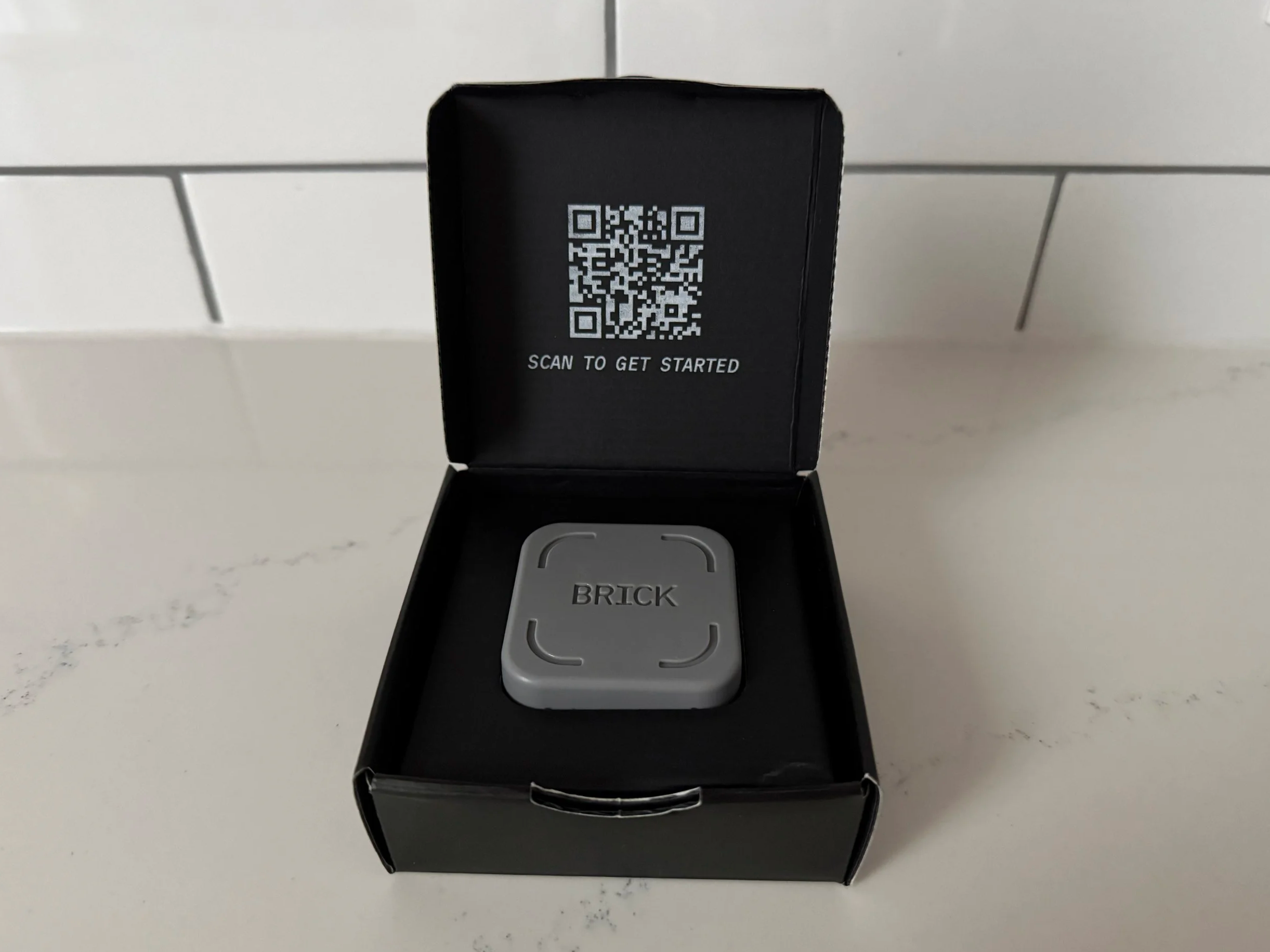
What is Brick?
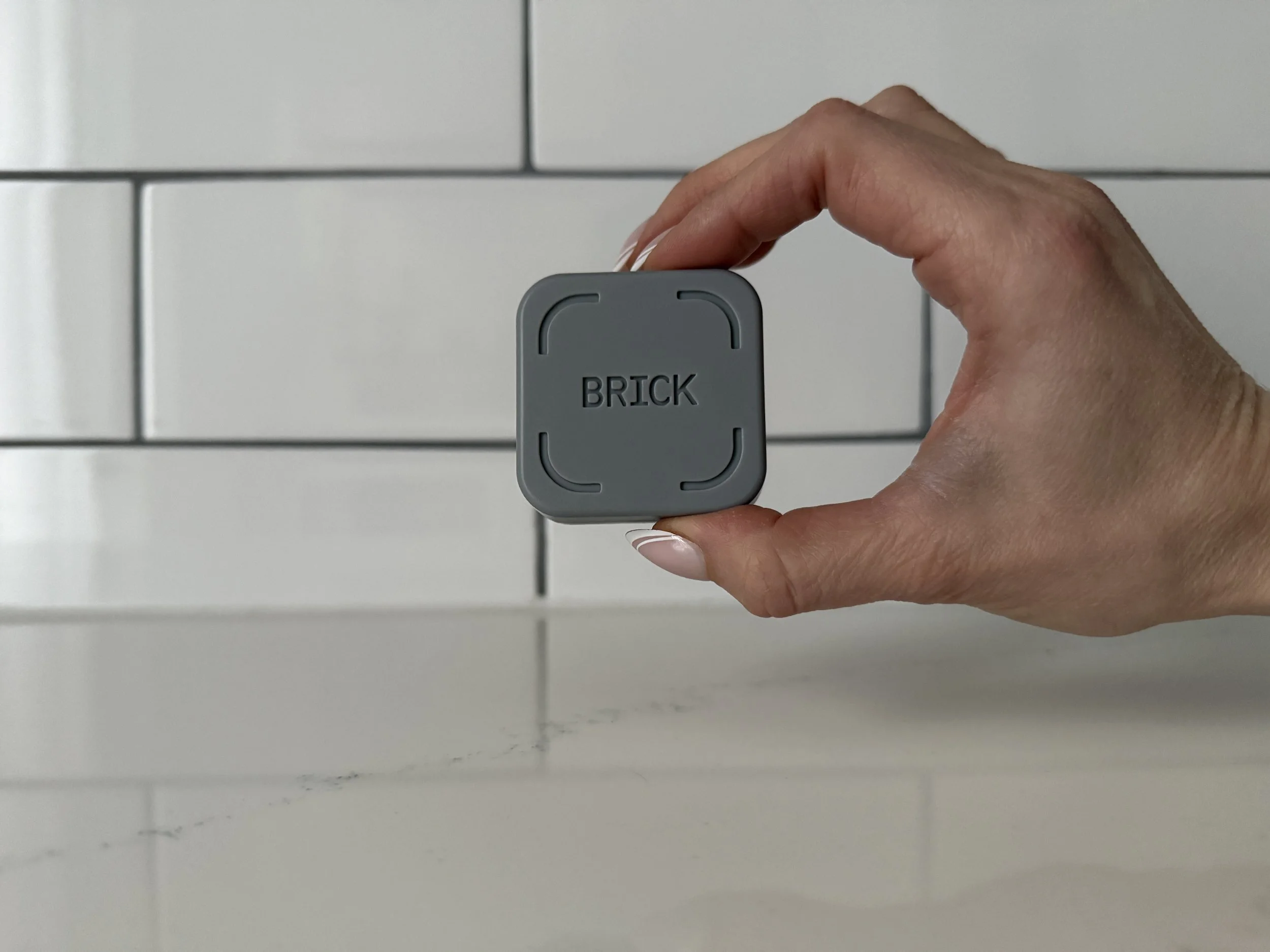
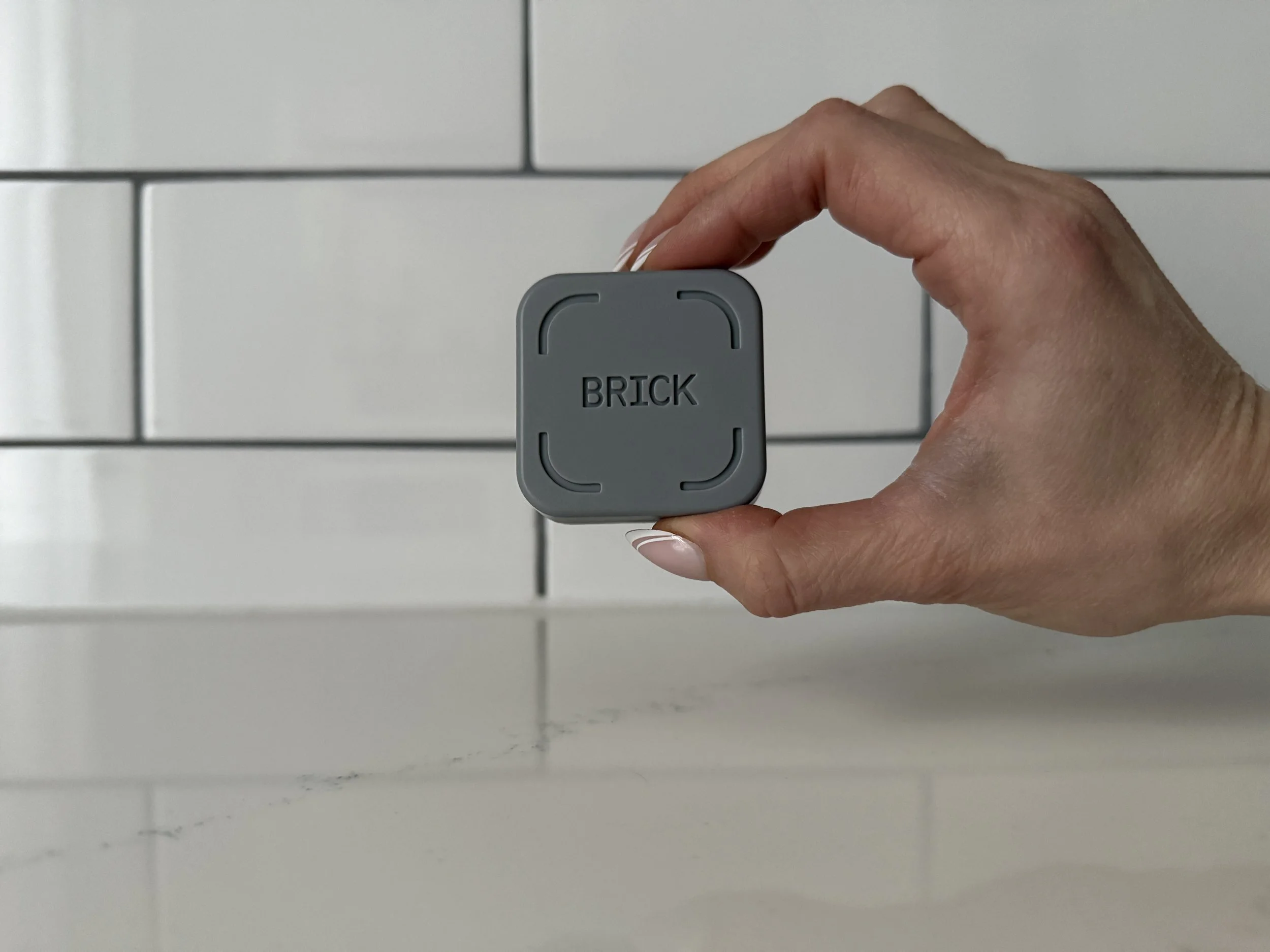
Brick is a small, magnetic, NFC-powered device that works with the Brick app to temporarily block distracting apps and their notifications on your phone. You set up custom "Modes" for different parts of your day (like work, meals, winding down at night, whatever makes sense for your life), and each Mode has its own list of blocked apps. When you're ready to focus, you tap your phone on the Brick device to activate it. To get your apps back, you have to physically go back to Brick and tap your phone again.
What I like: It’s a physical device
I was honestly skeptical when I received the device. Why would I need a physical device to lock myself out of apps? But the physical friction is what makes it work. Any time I have tried to use Apple Screen Time to help myself focus, I always end up bypassing the limits. “It’s just a few minutes” I would tell myself as I tapped the screen, completely disrupting my focus. With Brick, I actually have to get up and walk to the device to unlock it. It makes the choice intentional and is usually enough to make me reconsider.

I have two main Modes set up: one for work, and one for what I think of as "present time" (like during meals, or watching TV when I don’t want all my attention on my little screen while my big screen is on). The work Mode blocks social media but keeps my messaging and coaching apps accessible. The "present" Mode is more aggressive. You can create up to 10 custom Modes, and you can set schedules to activate them automatically at certain times of day if you want the structure without having to think about it.
The first time I used Brick during a work session, I went to open Instagram out of habit and got the Brick screen instead. That little interruption was enough to make me realize how often I was reaching for my phone without even registering it as a choice.
What I like: You can Brick your phone without the Brick

To access your blocked apps, you have to tap your phone on your Brick device
There's a built-in option where you can click and hold the "Tap or hold to Brick" button in the app to activate a Mode even when your physical Brick isn't with you. Perfect when you’re catching yourself getting distracted. You can lock yourself out, but you can't cheat your way back in.
Don’t worry! You are allowed 5 unbricks without the device present, in case you end up in a situation where you aren’t near your device but need to use a blocked app.
What I don't like: The design
The Brick itself is pretty no-frills. It comes in one colour and is basically a small rectangular tile. I keep mine mounted at my front door and it blends in fine, but if you were hoping for something that felt a little more premium-looking, it might underwhelm. A sleeker design, different material, or more colour options would be a nice touch. This is a minor complaint, but it's the honest one.
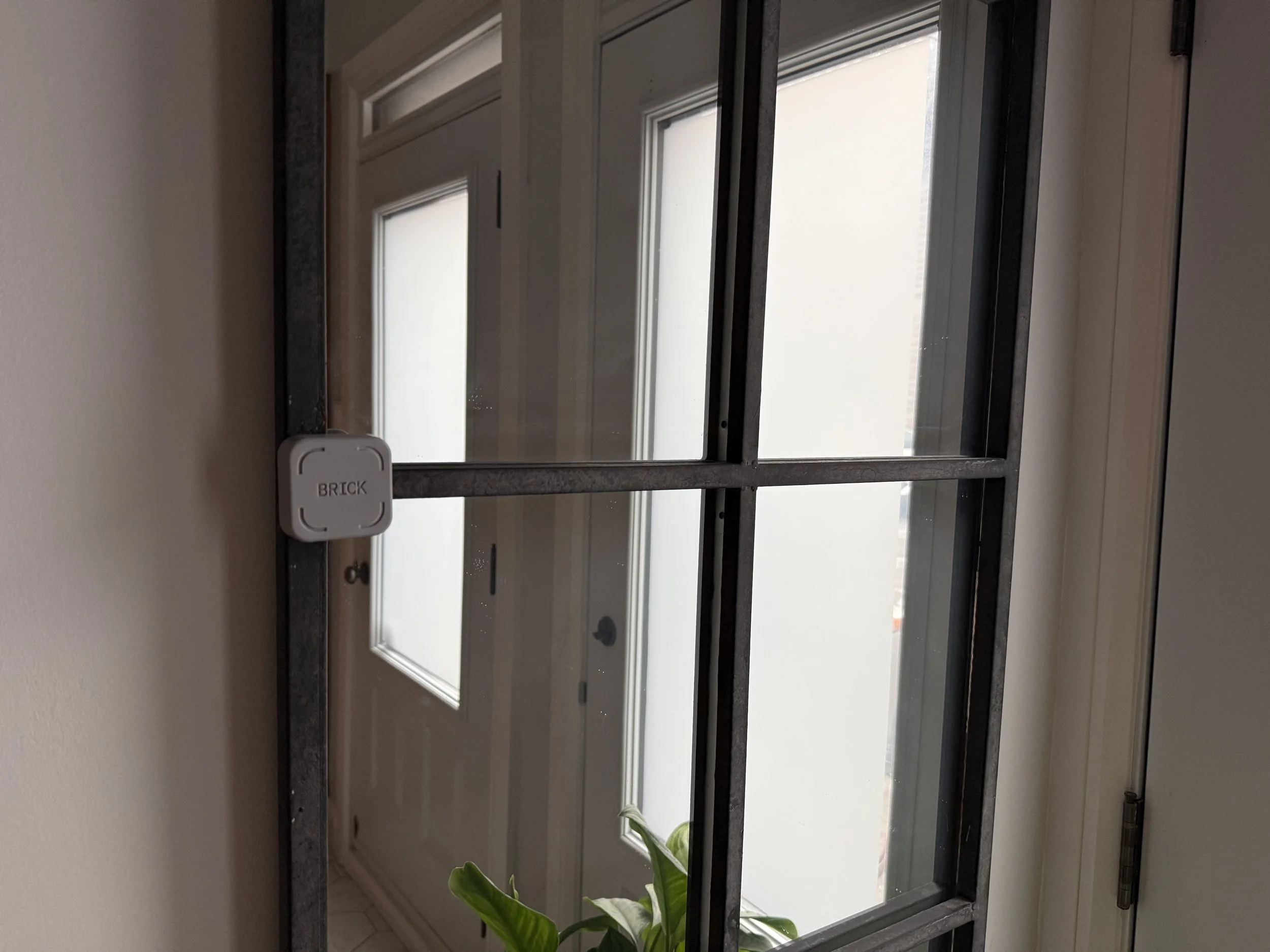
I keep my Brick by my front door. It’s magnetic and can stick to most metal surfaces.
How much does Brick cost?
Brick is a one-time purchase — no subscription, no monthly fee. You buy the device, download the free app, and you're done. This felt meaningful to me since it feels like everything has a monthly fee these days. It adds up, and it means I'm always evaluating whether something is worth keeping. With Brick, there's no recurring cost to justify. Just pay once and it's yours.
At $49 USD ($83 CAD), it isn't cheap for a small physical object. And I'll be honest, part of me knows that in theory the same outcome is achievable for free with a bit more discipline. I don't need Brick to set phone boundaries. I can delete apps. I can use Screen Time. I can just leave my phone in another room.
But that last option doesn't work for everyone. Discipline has limits, especially when you're tired or stressed and your phone is sitting right there. The reason Brick works for me is the same reason I run better with a training plan than without one: external structure reduces the number of decisions I have to make in a moment of low willpower. Whether that's worth $49 to you is a personal call.
If you want one for home and one for the office, or you want to give one as a gift, there's also a discount when you buy more than one.
You can get 10% off your first order using my link: www.getbrick.com/HEATHER81027
Pricing and discount availability were accurate at the time this post was published and may change.
Advertisement
Is it worth it?
The term "worth it" is so subjective that there really is no single answer.
What I can say is that the act of putting down my phone -- like, really putting it down -- matters more than I give it credit for. Not just for productivity, but for how present I feel in my own life. Meals taste different when I’m not half-watching something. Workouts feel different when I’m not managing notifications between sets. The mental quiet that comes from genuinely not having access to my distractions is something that's hard to manufacture with willpower alone.
Brick is a tool, not a solution. But it's a good one and it works for me. I think it’s worth a try for anyone who works from home, creates content, or just finds themselves reaching for their phone more than they'd like.
You can shop Brick and get 10% off by using my link: www.getbrick.com/HEATHER81027